Every week, another organization gets burned by an AI data privacy incident. Sensitive documents fed into ChatGPT. Proprietary code shared with cloud AI services. Internal communications accidentally included in AI training data.
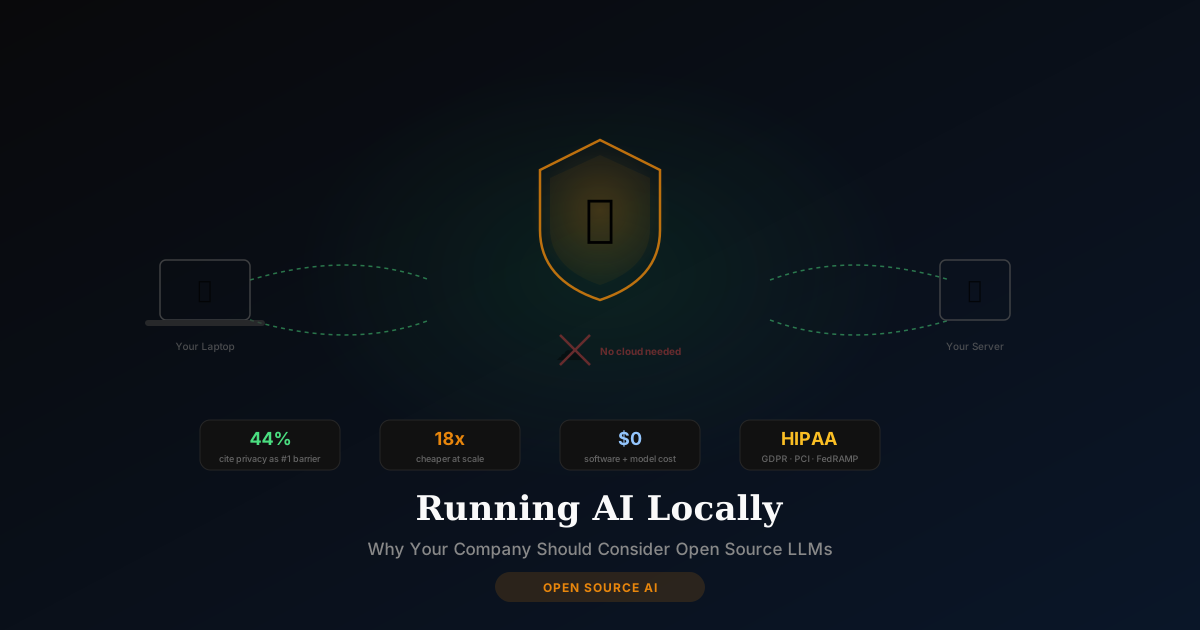
According to the Kong Enterprise AI Report, 44% of organizations cite data privacy as the number one barrier to adopting AI. That's not a technology problem — it's a trust problem. And there's a straightforward solution: run AI on your own hardware.
Open-source large language models (LLMs) have matured dramatically. In 2026, free models like DeepSeek-V3, Llama 4, and Qwen3 perform at near-commercial quality. Combined with simple tools like Ollama and LM Studio, running AI locally has gone from a developer hobby to a legitimate business strategy.
This guide explains the business case — costs, hardware, compliance, and what it actually looks like — for directors, program managers, and leaders evaluating self-hosted AI.
What Does "Running AI Locally" Mean?
When you use ChatGPT, Claude, or Gemini, your prompts are sent over the internet to a company's servers. Those servers process your request and send back a response. Your data touches infrastructure you don't control.
Running AI locally means the AI model lives on your computer or your company's server. Your prompts never leave your network. No third party ever sees your data.
The stack is straightforward:
- An AI model — DeepSeek-V3, Llama 4, Mistral, or dozens of others (all free)
- A runtime — Ollama (command line) or LM Studio (visual app) to run the model
- A chat interface — Open WebUI gives you a ChatGPT-style interface for your local model
That's it. Install the runtime, download a model, and start chatting. No API keys, no subscriptions, no data leaving your machine.
Local AI vs Cloud AI: An Honest Comparison
Let's be straightforward about what local AI does well and where cloud AI still wins:
| Factor | Local / Self-Hosted AI | Cloud AI (ChatGPT, Claude) |
|---|---|---|
| Data privacy | Complete — nothing leaves your machine | Your data is processed on third-party servers |
| Cost at scale | Up to 18x cheaper per million tokens | Pay-per-use or subscription; costs grow linearly |
| Upfront cost | Hardware investment (or existing Mac/PC) | Zero upfront cost |
| Best model quality | 85-95% of top commercial models | 100% — GPT-4o, Claude Opus are still the best |
| Offline capability | Works without internet | Requires internet connection |
| Setup complexity | Moderate — needs initial configuration | Zero — sign up and start |
| Compliance | Full control for HIPAA, GDPR, PCI | Depends on provider's certifications |
| Maintenance | You manage updates and hardware | Provider handles everything |
The honest take: For the most complex reasoning tasks — legal analysis, advanced coding, nuanced strategy — commercial models like Claude Opus and GPT-4o are still better. But for 80% of daily business AI tasks — drafting, summarizing, analyzing, brainstorming — local models are more than good enough. And they're free.
The Business Case: Cost Analysis
Cloud AI Costs (Per User)
- ChatGPT Plus: $20/month
- ChatGPT Enterprise: $60/seat/month
- Claude Pro: $20/month
- Claude Team: $25-30/seat/month
- For a 50-person team: $36,000-180,000/year in subscriptions
Local AI Costs
- Existing hardware: $0 if your team already has modern Macs or PCs
- Dedicated server (if needed): $3,000-15,000 one-time, or $20-80/month cloud VPS
- Software: $0 (Ollama, LM Studio, Open WebUI are all free)
- Models: $0 (DeepSeek-V3, Llama 4, Qwen3 are all free)
- Ongoing cost: Electricity only (negligible for laptop usage)
Break-Even Analysis
For a 20-person team currently paying $25/seat/month for Claude Team:
- Annual cloud cost: $6,000
- Local AI setup: $0-5,000 (depending on hardware needs) + setup session
- Break-even: 0-10 months
- Year 2+ savings: $6,000/year
The economics get more compelling as your team grows. At 100 users, you're potentially saving $60,000-300,000/year.
What Hardware Do You Actually Need?
This is the question every leader asks first. The answer is better than you think:
For Individual Use (1 person)
Apple Silicon Mac (M1 or newer):
- 16GB RAM: Runs 7-8 billion parameter models comfortably (comparable to GPT-3.5 quality)
- 36GB+ RAM (M3/M4 Pro): Runs 70 billion parameter models (approaching GPT-4 quality)
- Speed: 20-40 tokens per second — fast enough for real-time conversation
Windows PC:
- 16GB RAM + RTX 3060 GPU: Similar performance to Mac
- 32GB RAM + RTX 4090: Runs the largest open-source models
Bottom line: If your team has modern MacBook Pros or decent Windows machines, you may already have the hardware you need.
For Team / Server Use
- A single Mac Studio M4 Ultra (128GB RAM, ~$6,000) can serve 5-15 concurrent users running 70B models
- A cloud VPS with GPU ($40-100/month) works for teams that don't want on-premise hardware
- For larger deployments: NVIDIA A100/H200 servers, but this enters the $50K+ range
Compliance: HIPAA, GDPR, PCI, and FedRAMP
This is where self-hosted AI has a massive advantage:
HIPAA (Healthcare)
Cloud AI providers require Business Associate Agreements (BAAs) and careful configuration. With local AI, protected health information never leaves your facility. No BAA needed if the data never touches a third party.
GDPR (EU Data Protection)
GDPR requires that personal data is processed lawfully, with consent, and with appropriate safeguards. Self-hosted AI means data never crosses borders and you maintain full data sovereignty.
PCI DSS (Financial Data)
Payment card data should never be sent to AI services you don't control. Local AI keeps financial data within your security perimeter.
FedRAMP (Federal Government)
While cloud AI tools like Claude have FedRAMP authorization, many government programs have additional restrictions on data handling. Self-hosted AI on GovCloud or on-premise infrastructure gives you complete control over the data lifecycle.
The pattern: In every regulated industry, self-hosted AI simplifies compliance by keeping data within your control boundary.
The Hybrid Strategy: Best of Both Worlds
The smartest approach isn't all-local or all-cloud. It's hybrid:
Route 80% of tasks to local AI:
- Document drafting and editing
- Internal meeting summaries
- Data analysis on sensitive datasets
- Code review and documentation
- Internal communications
Route 20% of tasks to cloud AI:
- Complex multi-step reasoning
- Tasks requiring the absolute best model quality
- Integration with cloud-native workflows
- Customer-facing AI features
This gives you privacy where it matters and quality where you need it. Many organizations report this hybrid approach reduces their cloud AI spending by 60-80% while maintaining output quality.
Getting Started: What the Setup Looks Like
Option 1: Self-Setup (Technical Teams)
If you have IT staff or developers, setting up Ollama + Open WebUI takes about 2-4 hours:
- Install Ollama (one command)
- Download a model (one command)
- Install Open WebUI (Docker or native)
- Configure for your team
Option 2: Guided Setup (Everyone Else)
I offer a $149 live setup session where I:
- Install LM Studio or Ollama on your Mac or Windows machine
- Set up Open WebUI as your chat interface
- Select and download the best model for your specific hardware
- Tune performance settings for your RAM and GPU
- Configure offline-ready operation
- Give you a written guide for ongoing use
Most of my clients are non-technical founders, executives, and business owners who want local AI running without learning command-line tools.
Option 3: Cloud VPS Deployment
Don't want to run it on your local machine? I deploy to any cloud VPS — DigitalOcean, AWS, Hetzner — during the session. You get a private URL to access your AI from any device. Typical server cost: $20-40/month, still far cheaper than per-seat subscriptions.
Open Source Models to Know in 2026
| Model | Parameters | Best For | Runs On |
|---|---|---|---|
| DeepSeek-V3 | 671B (MoE) | General reasoning, coding, analysis | Cloud/server only |
| Llama 4 Scout | 109B (MoE) | Versatile — great all-rounder | High-end Mac or server |
| Qwen3-235B | 235B (MoE) | Multilingual, coding, enterprise tasks | Cloud/server |
| Llama 3.1 8B | 8B | Fast local AI on any modern laptop | Any Mac M1+ or 16GB PC |
| Mistral Small | 22B | Efficient, fast, good quality | Mac M2+ with 32GB |
| Phi-4 | 14B | Microsoft's efficient model, strong reasoning | Any modern laptop |
| DeepSeek-R1 8B | 8B | Reasoning-focused, free, fast | Any Mac M1+ or 16GB PC |
My recommendation for most business users: Start with Llama 3.1 8B or DeepSeek-R1 8B on your existing hardware. These run fast on any modern Mac and handle 90% of business writing, analysis, and research tasks well. Scale up to larger models as you see the value.
Frequently Asked Questions
Do I need engineers to set up local AI?
No. Tools like LM Studio provide a visual app — download, install, click to load a model, and start chatting. For basic personal use, it's as easy as installing any other app. For team deployment or advanced configuration, a guided setup session saves hours of trial and error.
Can open source LLMs actually replace ChatGPT for my team?
For most daily tasks — yes. Drafting emails, summarizing documents, analyzing data, brainstorming — local models handle these well. For bleeding-edge reasoning or complex multi-step analysis, commercial models still have an edge. That's why the hybrid approach works best.
How does the quality compare to ChatGPT or Claude?
Modern open-source models (DeepSeek-V3, Llama 4, Qwen3) score 85-95% of commercial models on standard benchmarks. For business writing and analysis, most users can't tell the difference. For complex coding or advanced reasoning, commercial models still lead.
What if my hardware isn't powerful enough?
You have two options: (1) Use a smaller, more efficient model — 8B parameter models run on any modern laptop and are surprisingly capable. (2) Deploy to a cloud VPS for $20-40/month. I handle both scenarios in setup sessions.
Is self-hosted AI really free?
The software and models are genuinely free. Your costs are hardware (which you may already own) and electricity (negligible for laptop use). If you deploy to a cloud server, that's $20-80/month depending on specs — still a fraction of per-seat subscription costs.
How does this relate to OpenClaw?
OpenClaw is an AI agent that can connect to local models as its brain. When you pair OpenClaw with a local LLM running on Ollama, you get a fully private AI agent — no data leaves your machine, no subscriptions, no cloud dependencies. It's the most privacy-respecting AI setup possible.
Want local AI running on your machine? Book a setup session or schedule a free discovery call to figure out the right model and hardware for your needs.