You've probably heard someone on your team mention OpenClaw. Maybe a developer brought it up in a meeting. Maybe you saw it on LinkedIn. With over 310,000 GitHub stars and explosive growth since January 2026, OpenClaw has become one of the most talked-about AI tools in the world.
But most of the information out there is written for engineers. This guide is for you — the director, program manager, product lead, or executive who needs to understand what OpenClaw actually is, whether it's worth exploring, and what the real risks are.
What Is OpenClaw, Exactly?
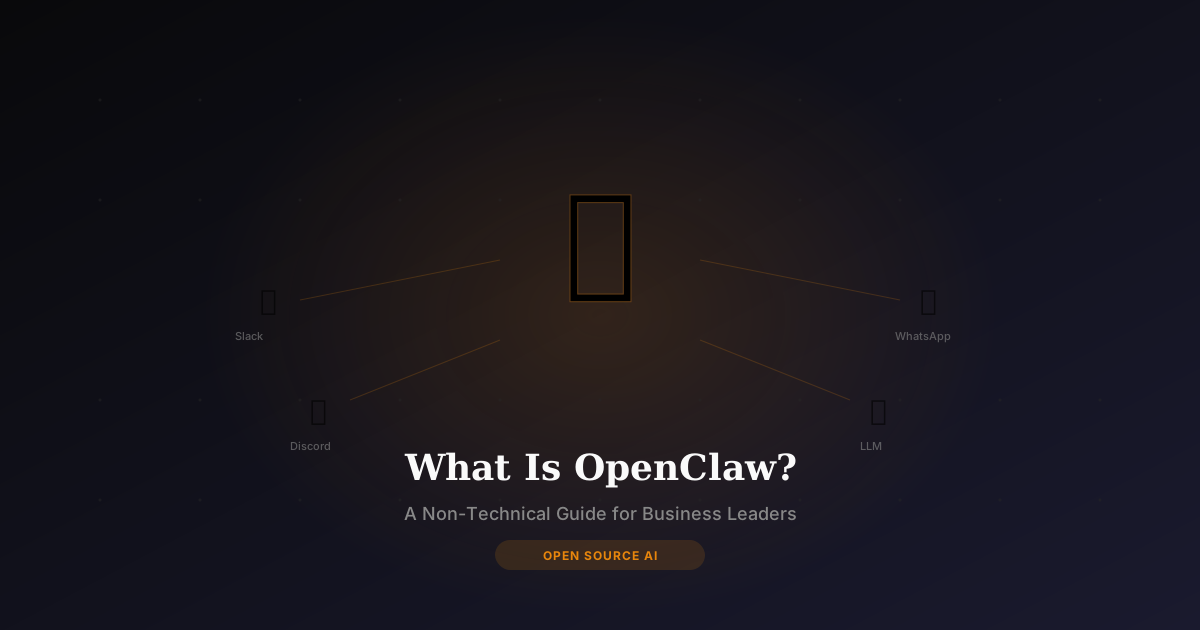
OpenClaw is a free, open-source personal AI agent that runs on your computer or a cloud server. Unlike ChatGPT or Claude, which are cloud services you access through a browser, OpenClaw lives on your machine and connects to your messaging apps — WhatsApp, Slack, Discord, or Telegram.
Think of it as a personal assistant that:
- Remembers your conversations across sessions (persistent memory)
- Uses tools — it can browse the web, read files, write code, and interact with other software
- Connects to any AI model — OpenAI, Anthropic Claude, Google Gemini, or free local models like Llama and DeepSeek
- Works from your messaging apps — talk to it from WhatsApp like you'd text a colleague
The key difference from ChatGPT: OpenClaw is an agent, not just a chatbot. It can take actions, not just answer questions.
OpenClaw vs ChatGPT: What's the Real Difference?
This is the most common question business leaders ask. Here's a straightforward comparison:
| Feature | ChatGPT | OpenClaw |
|---|---|---|
| Cost | $20-25/month subscription | Free software (you pay for AI model API usage, typically $6-50/month) |
| Data privacy | Your data goes to OpenAI's servers | Your data stays on your machine |
| Memory | Limited conversation history | Persistent memory across all conversations |
| Tool use | Built-in tools (web browsing, code) | Unlimited custom skills and integrations |
| Access | Web browser or app | WhatsApp, Slack, Discord, Telegram |
| Customization | System prompts only | Full control over behavior, skills, and integrations |
| Enterprise ready | Yes (ChatGPT Enterprise) | No — designed as a single-user personal agent |
Bottom line: ChatGPT is easier to start with. OpenClaw is more powerful and private, but requires setup.
Is OpenClaw Safe for Business Use?
This is where you need to pay attention. OpenClaw's security track record has been mixed:
The good:
- It's fully open-source (MIT license), so the code is auditable
- Your data stays on your machine — nothing is sent to third-party servers by default
- You control which AI model it connects to
The concerns:
- In early 2026, security researchers found that many OpenClaw instances were left exposed on the internet without proper authentication
- The OpenClaw skill marketplace had malicious packages discovered (similar to what happens with any open-source package ecosystem)
- Configuration requires care — default settings don't include enterprise-grade security
What this means for you: OpenClaw is safe when set up correctly. It is not safe when someone installs it without understanding security configuration. This is exactly why professional setup matters — getting the installation, authentication, and network configuration right from day one.
What Can OpenClaw Actually Do for My Business?
Here are the real-world use cases that business leaders care about:
Email and Communication Management
OpenClaw can triage your inbox, draft responses, summarize long email threads, and flag urgent items. Unlike a cloud AI, it can access your local email client securely.
Meeting Prep and Follow-Up
Send it your calendar and agenda. It pulls context from previous conversations, drafts talking points, and can write follow-up summaries after meetings.
Sales and Client Automation
Configure it to monitor CRM updates, draft outreach messages, track deal stages, and alert you to stale opportunities — all from a Slack message.
Report Generation
Connect it to your data sources. Ask it to pull numbers, generate summaries, and create executive-ready reports on demand.
Research and Competitive Intelligence
OpenClaw can browse the web, summarize documents, and compile research briefs. Since it has persistent memory, it builds on previous research over time.
How Much Does OpenClaw Really Cost?
The software itself is free. Your real costs depend on how you use it:
- Personal use (light): $6-13/month (API costs for a cloud AI model like Claude or GPT-4)
- Small business (moderate): $25-50/month (more API usage + optional cloud VPS hosting)
- Heavy automation: $100-200+/month (high API volume + dedicated server)
If you run it with a free local model like Llama 3 or DeepSeek via Ollama, the ongoing cost drops to nearly zero — just your electricity.
Compare that to ChatGPT Enterprise at $60/seat/month for your whole team, and the economics become compelling quickly.
How Do I Get OpenClaw Set Up?
Setting up OpenClaw involves:
- Installing the software on your Mac, Windows PC, or a cloud server
- Connecting an AI model — either a cloud API (Claude, GPT-4) or a local model (Ollama)
- Configuring skills — web browsing, file access, code execution
- Setting up a messaging bridge — WhatsApp, Slack, or Discord integration
- Securing the installation — authentication, network configuration, access controls
For technical teams, this takes a few hours of configuration. For everyone else, this is where most people get stuck.
I offer a 2-hour live setup session for $199 where I install and configure everything via screen-share. You watch, ask questions, and walk away with a working AI agent plus a written setup guide. Most of my clients are non-technical founders and business owners.
Frequently Asked Questions
Is OpenClaw free for commercial use?
Yes. OpenClaw is released under the MIT license, which allows commercial use without restrictions. The software is free — you only pay for AI model API usage if you use cloud models.
Can I use OpenClaw with my team?
OpenClaw is designed as a single-user personal agent. It's not built for multi-user team collaboration like Slack or Microsoft Teams. Each person who wants their own agent needs a separate installation.
Does OpenClaw store my data in the cloud?
No. By default, everything stays on your machine. OpenClaw only sends data to external services that you explicitly configure (like an AI model API). If you want maximum privacy, pair it with a local LLM so nothing leaves your computer.
How does OpenClaw compare to Claude Code?
They serve different purposes. OpenClaw is a general-purpose life and business assistant. Claude Code is specifically designed for software development. If you want an AI agent for email, research, and business tasks — OpenClaw. If you want an AI that writes code — Claude Code. Many power users run both.
What hardware do I need?
A modern Mac with Apple Silicon (M1 or newer) with 16GB RAM is ideal. Windows machines with 16GB RAM work too. If your hardware is limited, I can deploy it to a cloud VPS ($20-40/month) during our setup session.
Ready to get OpenClaw running on your machine? Book a setup session or schedule a free call to discuss what's right for your situation.